Case study
School timetable automation system
A constraint solver that generates conflict-free timetables across three campuses.
- Role
- Sole developer
- Stack
- Node.js, TypeScript, Express, Prisma, PostgreSQL, Python, FastAPI, Google OR-Tools, React, Vite, Flutter, Electron, SQLite
The problem
Ali Public School built its timetables by hand. Three campuses, 33 sections, seven periods a day, and a set of rules nobody had ever written down: important subjects early, every teacher fully loaded, nobody double-booked, and a weekly ceiling no teacher may exceed. It took weeks, and it was never quite right.
The constraints
The rules were harder than they sounded.
- Junior, Girls and Boys campuses run on completely different models — Junior has one homeroom teacher per section, the others are subject specialists.
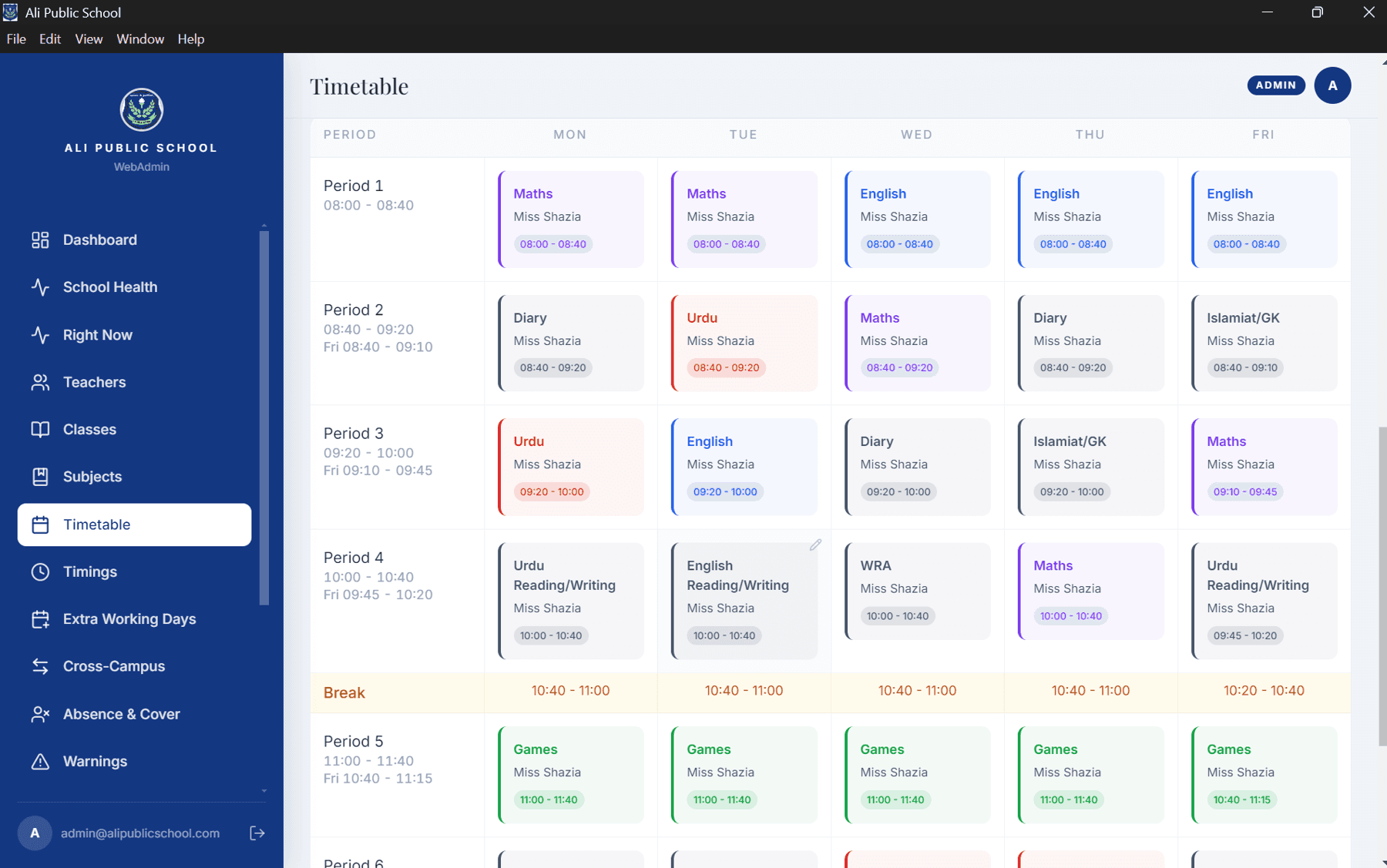
- Games periods need two supervising teachers per slot regardless of how many classes share the ground, and the frequency changes by grade.
- Teacher weekly ceilings — 30 periods for Girls and Boys, 35 for Junior homerooms — can never be exceeded. Not “should rarely be.” Never.
- Friday periods are shorter than Monday to Thursday.
The decisions
01
A constraint solver, not a scheduling algorithm.
I used Google OR-Tools CP-SAT rather than writing heuristics. Heuristics produce a timetable that is mostly right and fails in ways you cannot explain. A solver either satisfies the hard constraints or tells you it cannot — and that difference matters when a principal asks why a teacher has a gap.
02
Four sequential stages, not one weighted objective.
My first version optimised everything at once with weights, and the weights fought each other. I rebuilt it as four stages: fix shortfalls, then subject priority placement, then teacher load, then fairness — each stage hard-fixed before the next begins, with fairness isolated last so it can never undo earlier work.
03
I proved the gaps were real.
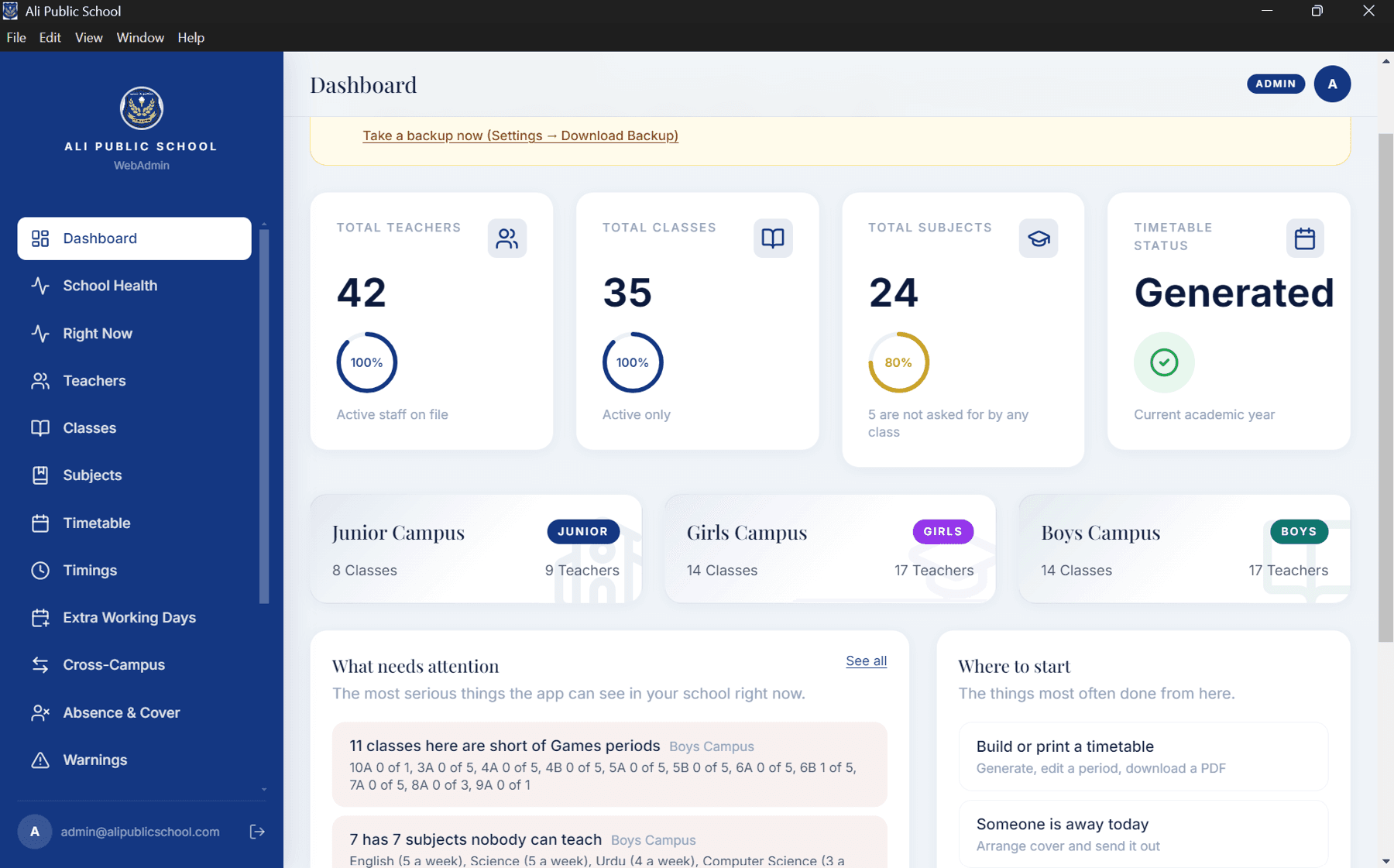
Some tier violations would not go away. Rather than keep tuning, I checked the arithmetic: Boys campus has 116 periods of excess demand, Girls 143. The roster is mathematically short. No solver can fix a staffing shortage — so I built a Capacity Advisor that shows exactly where and why, instead of silently producing a worse timetable.
04
Then the client asked for it offline.
After the whole system was deployed to Vercel and Railway with Supabase, Ali Uncle said he wanted it installed on his own computer, not accessed online. I copied the project into a separate repository and rebuilt the data layer: Postgres to SQLite, seven enums to validated strings, the Python solver packaged as a standalone executable with PyInstaller, and the whole thing wrapped in an Electron NSIS installer that serves over the LAN so other machines in the school can reach it.
The cloud version still exists, untouched, in its own repo. Neither build was wasted.
What got built
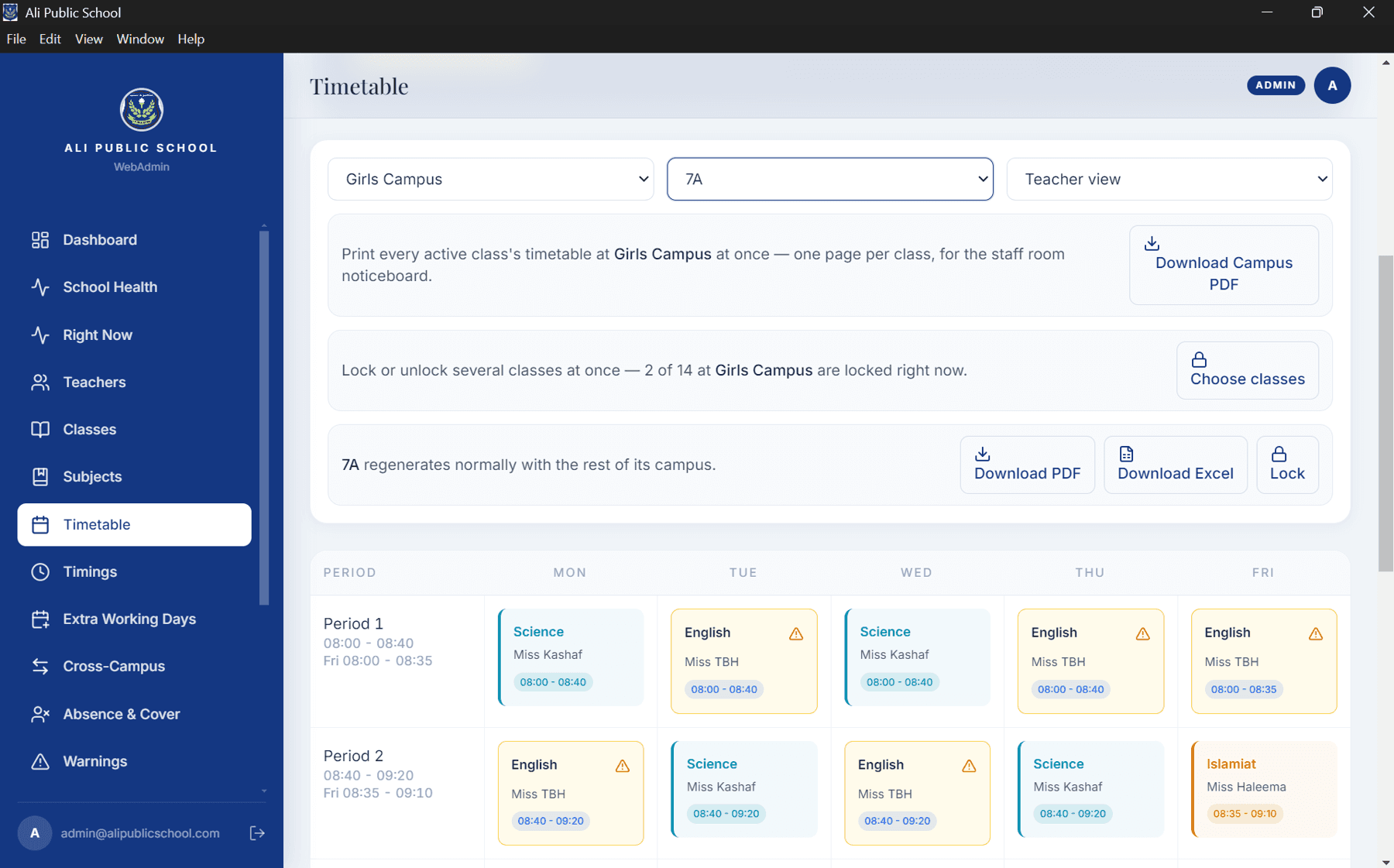
Web admin in React with full CRUD across teachers, classes and subjects; timetable generation with granular locking — a whole class, a single day, or one period; a warnings page; a Capacity Advisor; a gaps view with a root-cause breakdown for every empty slot; and a Flutter app for teachers with their own timetable and a live countdown to the next period.
Production hardening that I did not skip: JWT with role-based access control, bcrypt, rate limiting on the expensive endpoints, Zod validation across all 40 endpoints in 9 controllers, optimistic locking so two people editing at once get a clear conflict instead of silent data loss, and a security baseline checked item by item before launch.
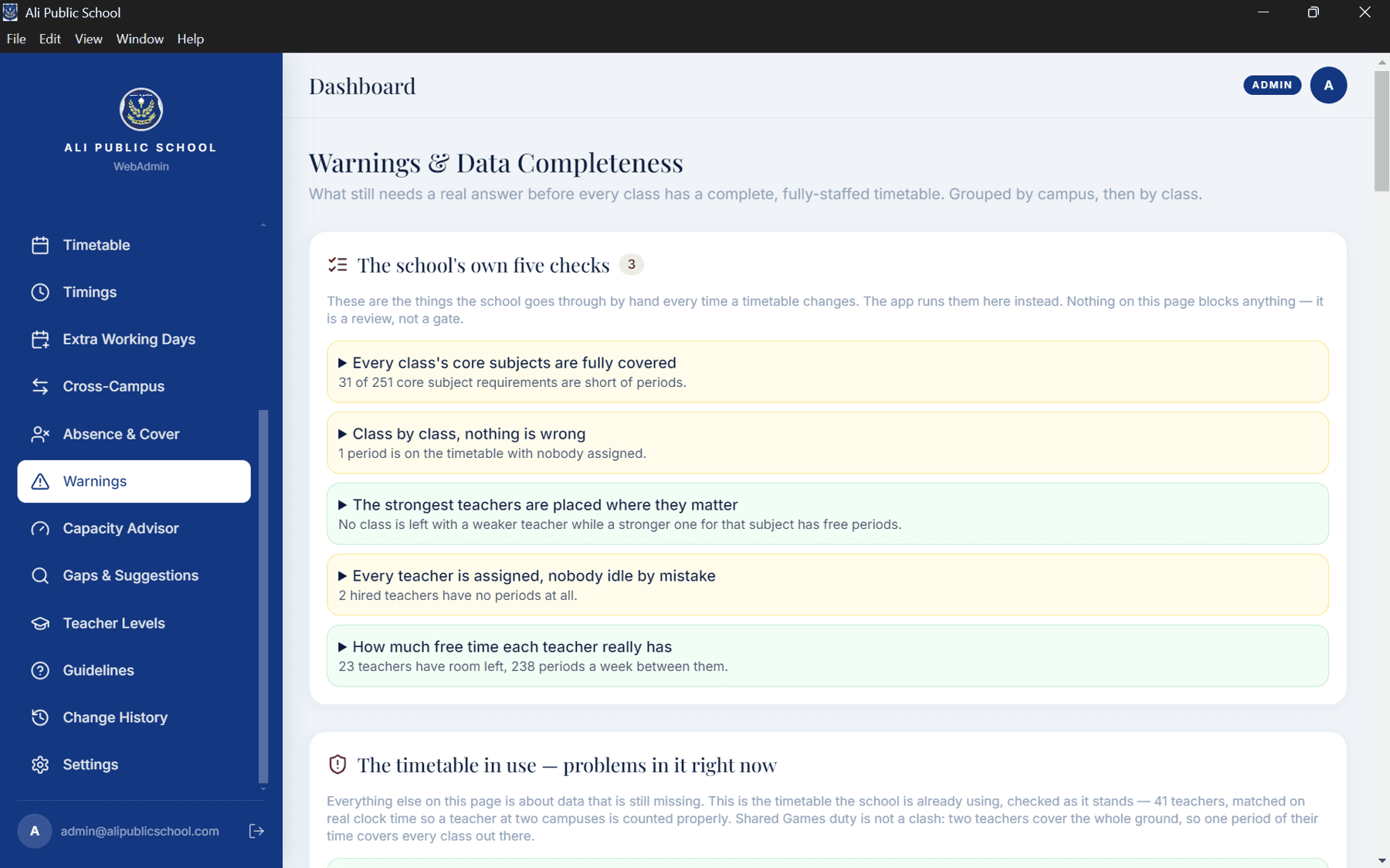
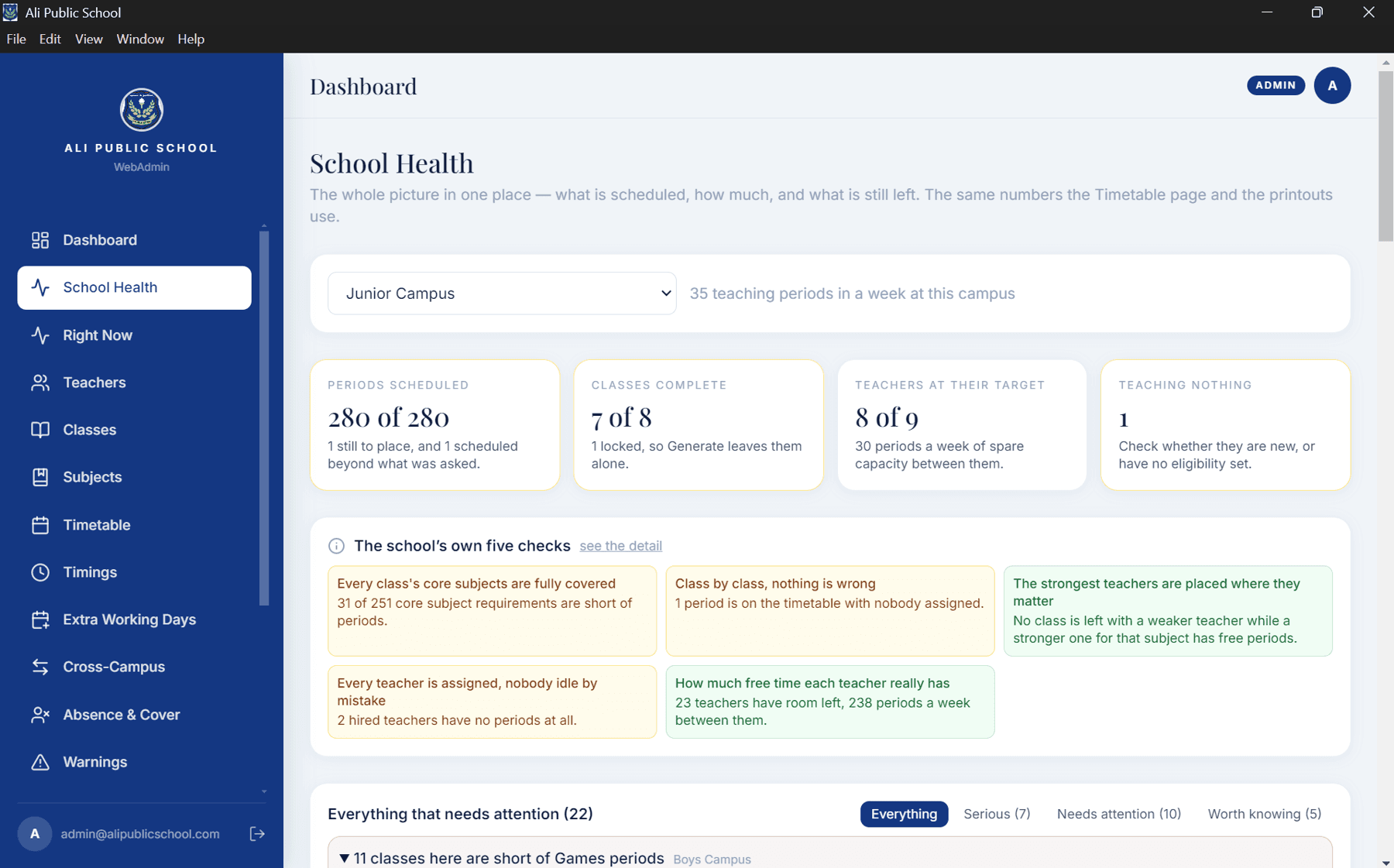
Inside the timetable system
Three parts, one conflict-free week.
- Interface: React + Flutter — Web admin with granular locking · teacher app with a live countdown
- API: 40 endpoints — Zod-validated · JWT + RBAC · optimistic locking
- Solver: 4 stages — OR-Tools CP-SAT · zero double-booking
The offline desktop app
The same system, installed on the school's own computer.
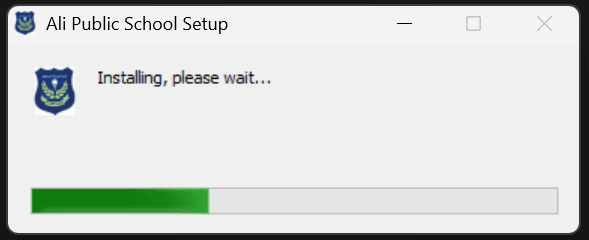
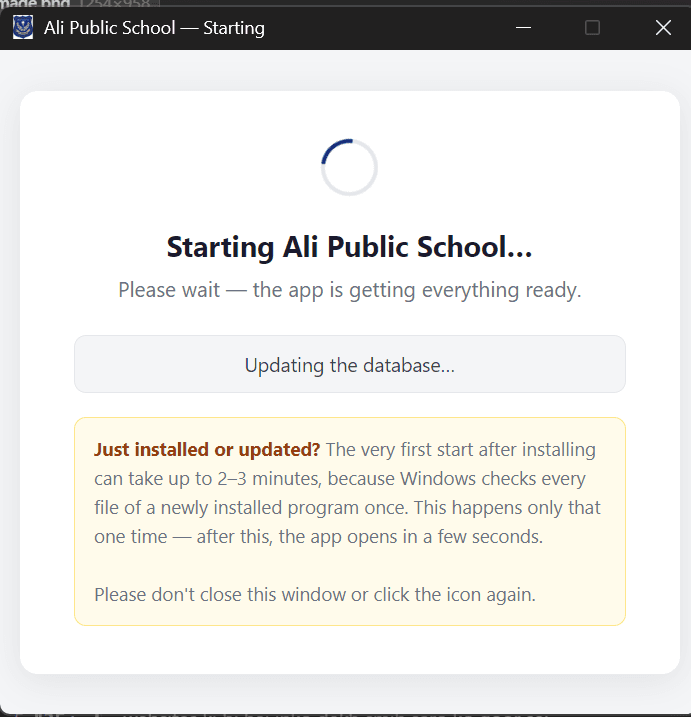
When the client asked for it offline, I rebuilt the data layer in a separate repository: Postgres to SQLite, seven enums to validated strings, and the Python solver packaged as a standalone executable with PyInstaller.
The whole thing ships as an Electron NSIS installer for Windows that serves over the LAN, so other machines in the school can reach it. The cloud version still exists, untouched, in its own repo.
- Electron + NSIS installer
- SQLite
- PyInstaller-packaged OR-Tools solver
- LAN access for other machines
The teacher app
Every teacher's timetable in their pocket.
A Flutter app for teachers with their own timetable and a live countdown to the next period. It reads the same data as the web system, so a change made by the office shows up on phones without a separate sync.
- Flutter
- Live countdown to the next period
- Same data as the web admin
What I would tell you honestly
The installer is unsigned while it is still being tested — Windows shows a warning. Code signing is on the list, not done. And the offline build is a single-concurrent-user system; it was never designed to be a multi-tenant product.